Webfetch Search API: Google, Bing and Yahoo results as JSON
Webfetch now has a Search API that returns Google, Bing and Yahoo search results as JSON. One GET request returns a page of ranked organic results with their destination URLs, the ads above and below them, related searches and People Also Ask questions. The Google endpoint matches ScrapingBee's Google Search API in path, parameter names, defaults, response keys and credit costs, so an existing integration switches by changing the host and the key.
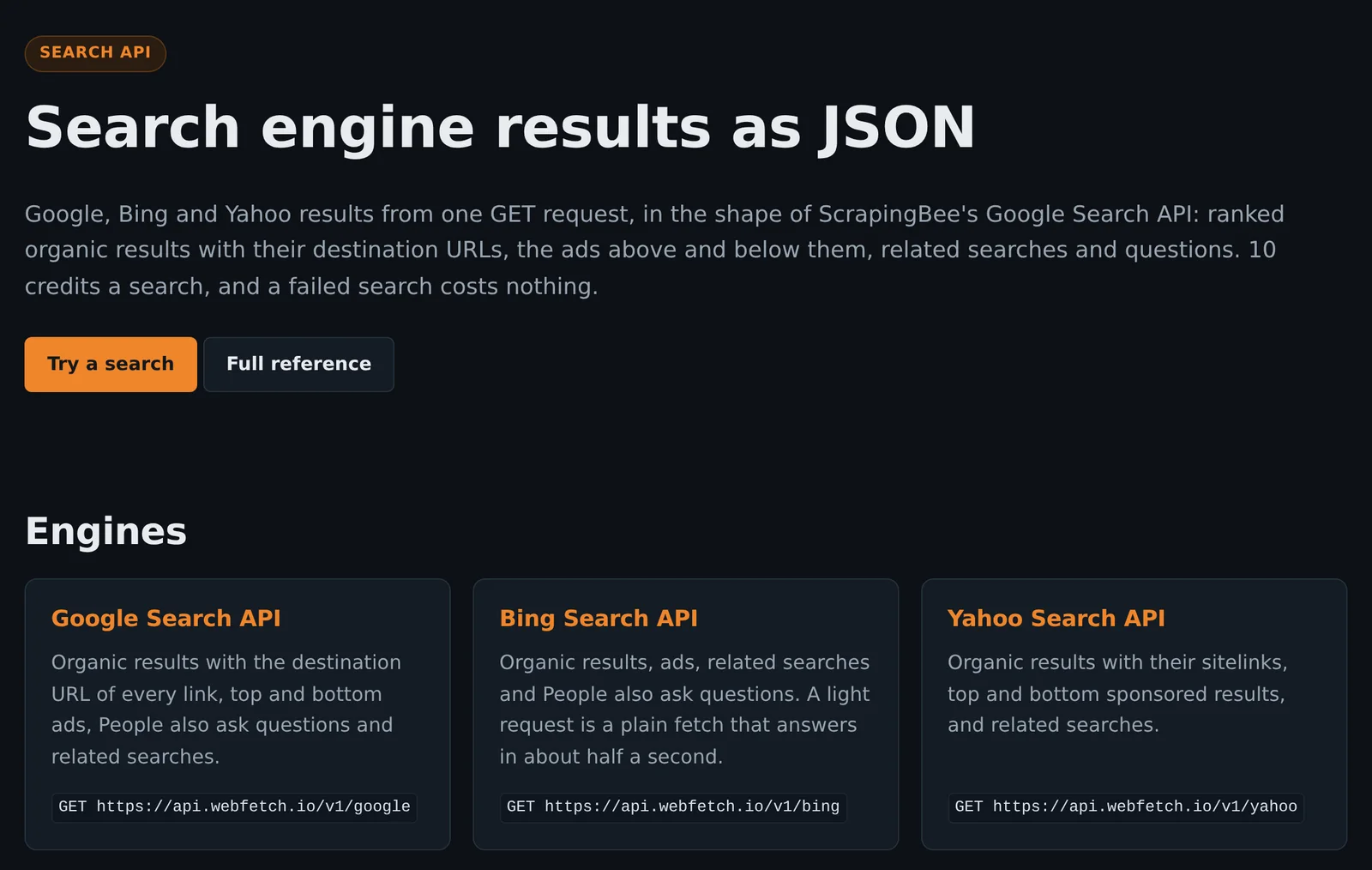
| Engine | Endpoint |
|---|---|
| Google Search API | GET https://api.webfetch.io/v1/google |
| Bing Search API | GET https://api.webfetch.io/v1/bing |
| Yahoo Search API | GET https://api.webfetch.io/v1/yahoo |
All three engines take the same parameters and return the same response shape, so code written for the Google SERP API reads Bing and Yahoo results without changes. A light search costs 10 credits on every engine, and a failed search costs nothing.
What the search results API is used for
- Rank tracking. Every organic result carries its
positionanddomain, so a keyword rank tracker can record where a site places for a query, by country withcountry_code, on any of the first 50 results pages. - Competitor ad monitoring.
search_type=adsreturns only the paid results, with each advertiser's domain, headline, description and landing page, for tracking who bids on a keyword in Google Ads or Microsoft Advertising. - Content and keyword research. The
questionslist holds the People Also Ask questions andrelated_searchesholds the related queries, which show what searchers ask around a topic. - SEO audits and SERP snapshots.
add_html=truereturns the results page HTML next to the parsed JSON, for keeping a record of the page as served. - AI agents. The MCP server's
search_webtool gives an assistant live search results on the same key.
Get Google search results as JSON with one request
curl "https://api.webfetch.io/v1/google?search=car+insurance+quotes" \
  -H "Authorization: Bearer wfk_your_key"
The key goes in the Authorization: Bearer header, or in the api_key query parameter for code written against ScrapingBee. The same paths also answer under https://webfetch.io/api/v1/ and with ScrapingBee's older store/ segment, as in /api/v1/store/google.
| Parameter | Default | Meaning |
|---|---|---|
search | required | The query, as typed in the search box. site: and intitle: work. |
country_code | us | Two-letter country the search runs from. |
language | en | Interface language on Google and Bing. Yahoo follows the location of the exit. |
page | 1 | Results page, 1 to 50. Google and Bing show 10 results a page, Yahoo 7. |
light_request | true | 10 credits when true, 15 when false. |
search_type | classic | classic for the full results page, ads for the ads only. |
add_html | false | Also return the page HTML, in html. |
tag | none | Your own label, echoed back in the Wf-Tag header. |
nfpr | false | Google only. Turns off Google's spelling auto-correction. |
extra_params | none | Google only. Extra Google URL parameters, limited to filter, fpstate, locale, nfpr, safe, safe_search, tbm, tbs and udm. |
A country with no search exit is refused with 400 country_unavailable. Each engine page lists the countries available now.
On Google and Yahoo, every request loads in a browser, and a light request skips images, fonts and media. On Bing, a light request for the first page is a plain HTTP fetch that answers in about half a second, with the organic results and no ads, because Bing shows its ads only to a browser. Regular requests, ads-only requests and later pages on Bing load in a browser.
SERP API response: organic results, People Also Ask and related searches
Every key is always present, a list with nothing in it is an empty array, and positions start at 1. This is a real Google search from the US, trimmed to one result of each kind:
{
  "meta_data": {
    "url": "https://www.google.com/search?q=car%20insurance%20quotes&hl=en&gl=us",
    "number_of_results": null,
    "location": null,
    "number_of_organic_results": 9,
    "number_of_ads": 0,
    "number_of_page": 1,
    "zero_results_for_original_query": false
  },
  "organic_results": [
    {
      "position": 1,
      "title": "Car Insurance | Get An Auto Insurance Quote",
      "url": "https://www.allstate.com/auto-insurance",
      "displayed_url": "https://www.allstate.com \u203a auto-insurance",
      "description": "What do I need to get a car insurance quote? ...",
      "domain": "www.allstate.com",
      "date": null,
      "date_utc": null,
      "rich_snippet": [],
      "sitelinks": []
    }
  ],
  "top_ads": [],
  "bottom_ads": [],
  "related_queries": [],
  "related_searches": [{"position": 1, "query": "Full coverage car insurance quotes", "link": "https://www.google.com/search?...", "type": "standard"}],
  "questions": [{"position": 1, "text": "Who's got the cheapest car insurance right now?", "answer": null}],
  "knowledge_graph": {},
  "local_results": [], "top_stories": [], "news_results": [], "images": [],
  "map_results": [], "hotel_results": [], "ai_overviews": []
}urlis the destination page. The engines' click-tracking redirects are decoded, including Google's.displayed_urlis the address as the engine shows it, including its separator character.dateis the date the engine shows beside the snippet, when there is one.number_of_resultsis null when the engine shows no total, which is common on Google.knowledge_graph,local_results,top_stories,news_results,images,map_results,hotel_resultsandai_overviewsare present for compatibility with ScrapingBee's response and are always empty.
Scrape Google and Bing ads with search_type=ads
With search_type=ads, the response keeps the same keys, fills in top_ads and bottom_ads, and leaves every other list empty. Each ad carries its position in its block, title, description, the landing page in url, the engine's click URL in tracking_url, the address as shown in visual_url, and the advertiser's displayed domain. A Bing ad:
"top_ads": [
  {
    "position": 1,
    "title": "5 Best Coffee Makers | Our #1 Pick Will Surprise You",
    "url": "https://bestreviews.com/best-coffee-makers?...",
    "tracking_url": "https://www.bing.com/aclk?ld=...",
    "visual_url": "https://bestreviews.com \u203a coffee-makers",
    "domain": "bestreviews.com",
    "description": "Looking for the Best Coffee Maker on the Market? ...",
    "snippet": null,
    "sitelinks": []
  }
]
The engine decides whether a query shows ads. A page with no ads returns empty lists, and an ads-only search costs the same as a full results page.
A Bing Search API replacement
Microsoft retired the Bing Web Search API on August 11, 2025, and points developers to an AI grounding service that hands results to a language model. The Webfetch Bing Search API returns the Bing results page itself as JSON: ranked organic results with dates, top and bottom ads, related searches and questions. Yahoo closed its BOSS search API in 2016, and the Yahoo Search API returns Yahoo's organic results with their sitelinks, sponsored results and related searches in the same shape.
Search API pricing: credits per search
| Request | Credits |
|---|---|
Light request (light_request=true, the default) | 10 |
Regular request (light_request=false) | 15 |
| Failed search | 0 |
These are the costs of ScrapingBee's Google Search API. All three engines cost the same. A results page is billed even when it has no results, because that is the engine's answer. A block, a timeout or a page that is not a results page is never billed. A search the engine blocks on one exit is retried on another, up to three times within the 90-second limit, and the Wf-Search-Attempts header reports how many tries it took.
Searches draw on the same credits as the scraping API, from the plan's monthly allowance or the free credit balance:
| Plan | Price a month | Credits a month | Light searches |
|---|---|---|---|
| Starter | $11.99 | 75,000 | 7,500 |
| Pro | $29.99 | 250,000 | 25,000 |
| Scale | $59.99 | 1,000,000 | 100,000 |
| Business | $149.99 | 3,000,000 | 300,000 |
| Business+ | $359.99 | 8,000,000 | 800,000 |
Each plan costs 38 to 40% less than the ScrapingBee plan with the same credit allowance. ScrapingBee's Freelance plan is $49 for 250,000 credits, the same 25,000 light Google searches that Pro buys for $29.99. Full prices are on the pricing page.
Who can use the search API
Every search engine's robots.txt disallows automated access to its result pages, and Webfetch honors robots.txt until the robots.txt opt-out is on for the key. Turning on the opt-out records your acceptance of the acceptable use policy, and every search is logged as a request that opted out.
- Paid plans turn on the opt-out in the key portal, and search works right away.
- Free accounts send a short request from the key portal with your name, your country and what you will search for, plus acceptance of the AUP. A person reviews each request, usually within a day, and you get an email when it is decided. Approval turns on search for the key.
Approved free accounts search one at a time, and each search comes out of the free credit balance: 1,000 credits at signup and 250 more each month, up to 1,000, which covers 100 light searches to start. The approval covers search only, and respect_robots=false on the scraping API stays on paid plans. An approval can be withdrawn, and a declined request can be sent to support for another look.
Error codes
| Code | Billed | Meaning |
|---|---|---|
| 200 | Yes | A results page, including one with no results |
| 400 | No | A parameter is missing, invalid or not supported yet, or the country has no search exit |
| 401 | No | No key, an invalid key, out of credits, or a closed account |
| 403 | No | Search is off for the key: search_access_required (a free key without an approved request), search_access_pending (the request is in review) or aup_required (the opt-out is off) |
| 429 | No | Rate limited, or too many concurrent requests for the key |
| 500 | No | The engine answered with a bot check on every try, the page could not be loaded, or the search ran out of time |
| 503 | No | Search capacity is busy (search_busy, with Retry-After) |
Search Google, Bing and Yahoo in the browser and export to CSV
The Scan page in the main menu opens a search tool for each engine and the page scanner. A search tool takes a query, the country, the results page, full results or ads only, and a light or full browser load. Results show as a ranked list with ads, related searches and questions, and download as JSON (the full response) or CSV (one row per result, ad, related search and question).
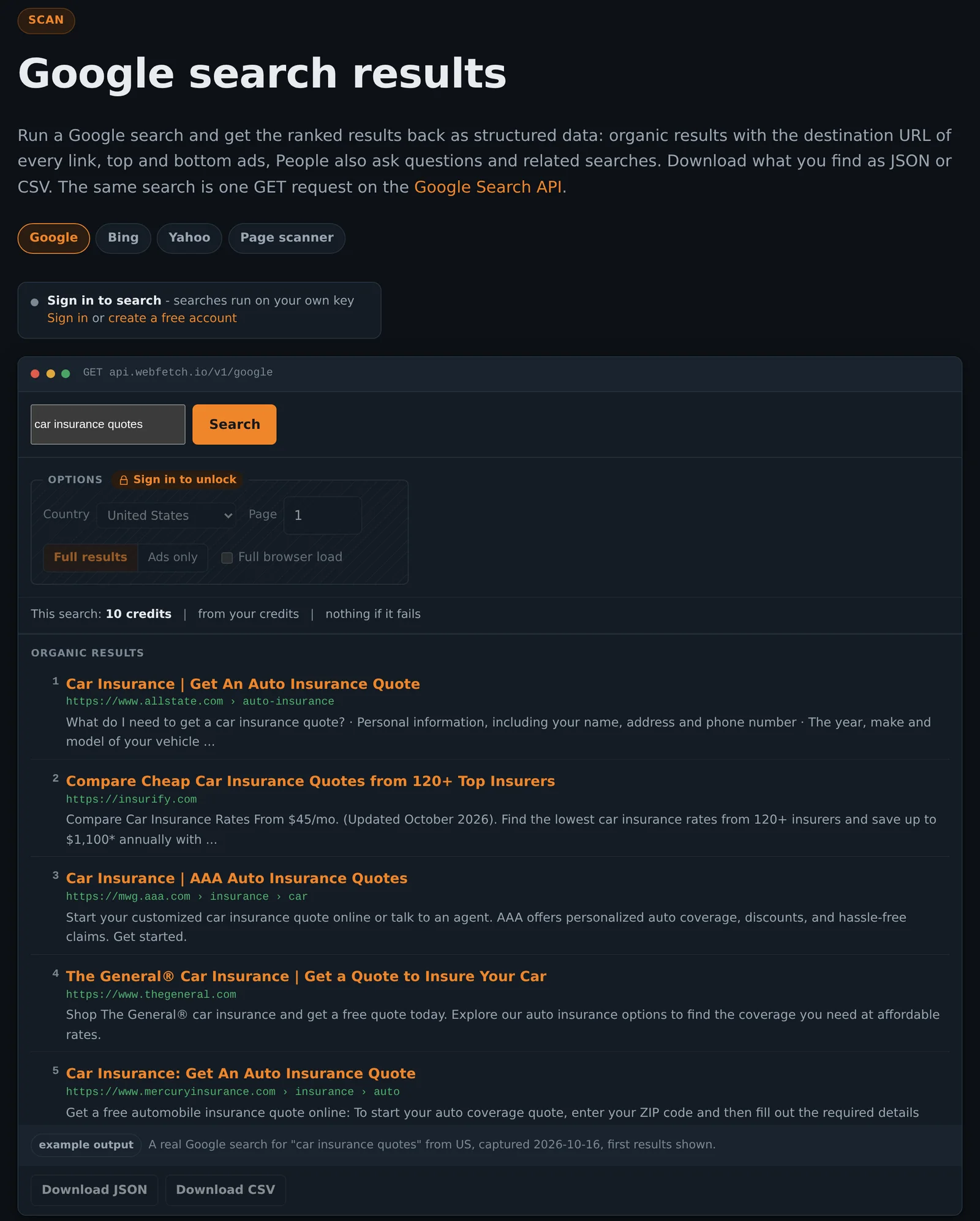
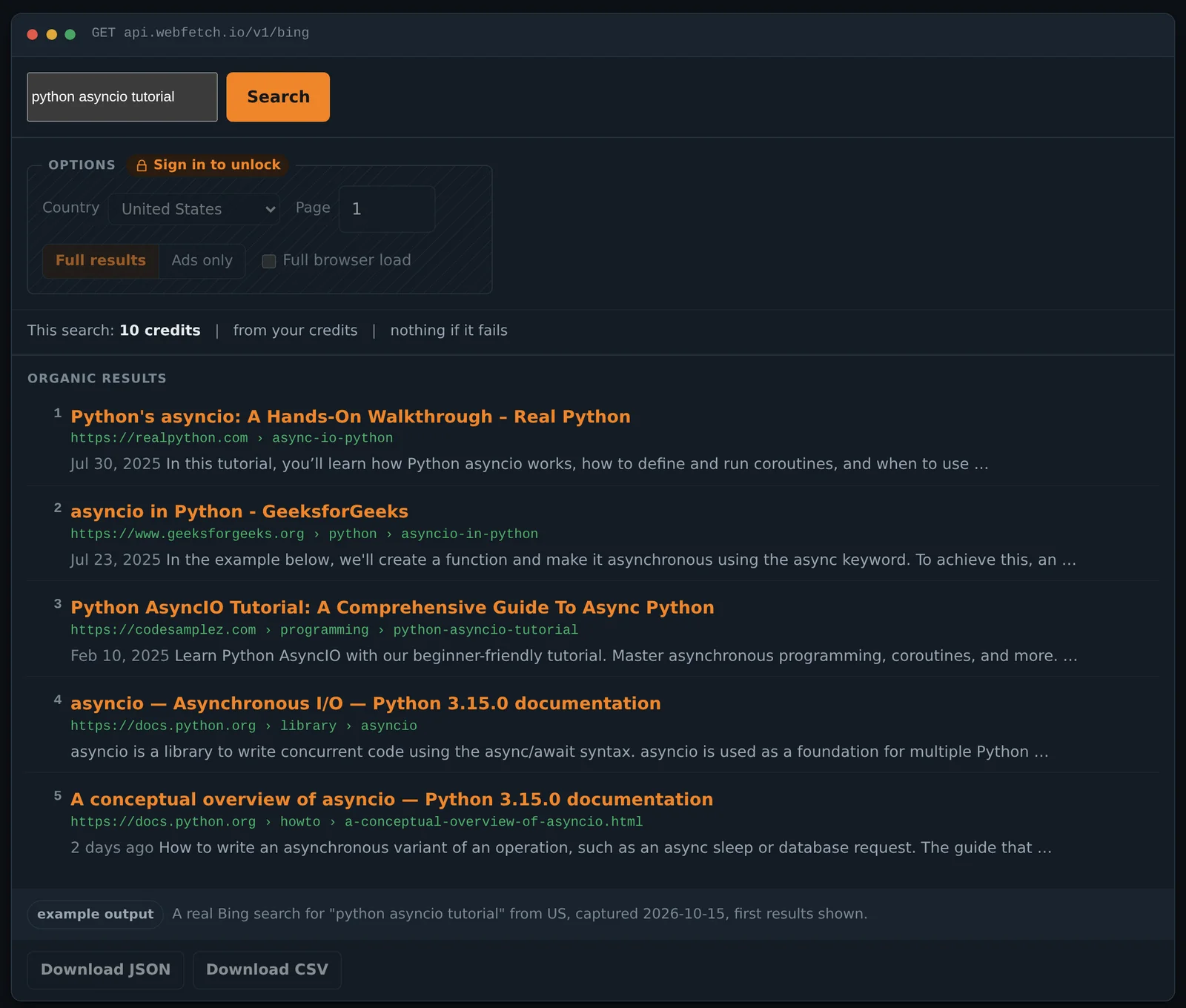
date field in the JSON.The tools follow the API's access rules and cost the same credits. Visitors see a real example result and a sign-in prompt, signed-in free accounts are offered the search access request, and paid accounts and approved free accounts can search. The Yahoo search tool works the same way.
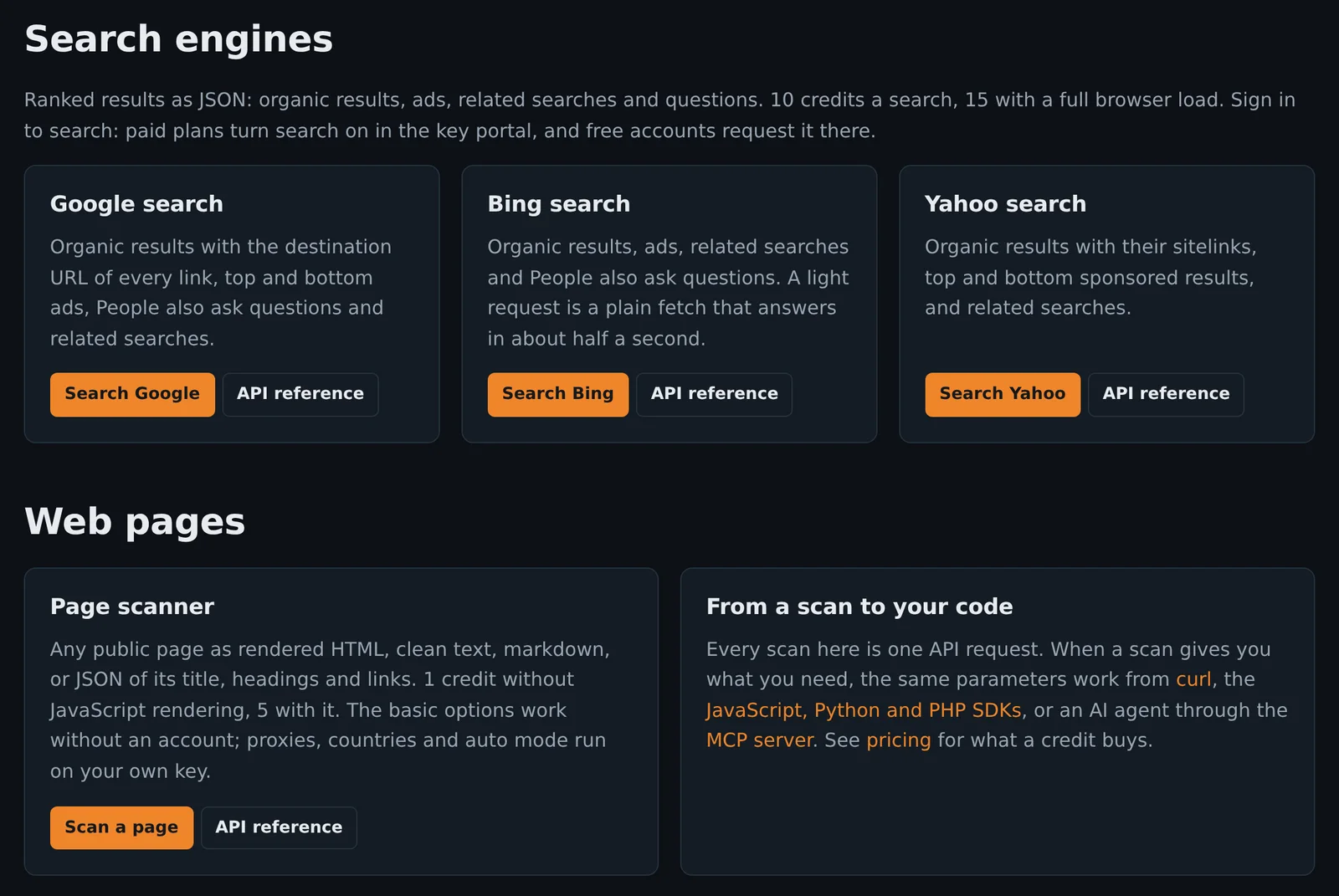
The page scanner, also on the home page, now downloads its result as JSON or CSV. Export needs a signed-in account, and visitors can still run the basic scan.
Search API SDKs for JavaScript, Python and PHP, plus MCP
The official SDKs added search in version 1.1.x:
// JavaScript: npm install @tuxxin/webfetch
const results = await client.google('car insurance quotes');

# Python: pip install webfetch-io
results = client.google("car insurance quotes")

// PHP: composer require tuxxin/webfetch
$results = $client->google('car insurance quotes');google(), bing() and yahoo() return the parsed response. search(engine, query, options) returns the result object, with the credits charged and json(). The Python package also has an async client with the same methods. Source is at github.com/tuxxin/webfetch-sdk.
The MCP server at https://webfetch.io/mcp has a search_web tool that takes query, engine (google, bing or yahoo), country_code, page, search_type and light_request. It returns compact JSON with the organic results, ads, related searches and questions, and draws on the key's credits under the same access rules.
Search API FAQ
How do I get Google search results as JSON?
Send a GET request to https://api.webfetch.io/v1/google with the query in search and your key in the Authorization: Bearer header. The response holds the organic results, ads, related searches and People Also Ask questions, with decoded destination URLs.
Is this a ScrapingBee Google Search API alternative?
The Google endpoint uses ScrapingBee's path, parameter names, defaults, response keys and credit costs, so a ScrapingBee integration moves over by changing the host and the key. Plans cost 38 to 40% less for the same credits, and the same key also searches Bing and Yahoo.
How much does a SERP API call cost?
10 credits for a light request and 15 for a regular one, on all three engines. A failed search costs nothing. On the $11.99 Starter plan, 75,000 credits cover 7,500 light searches a month.
Can I scrape People Also Ask questions and related searches?
Yes. People Also Ask questions come back in questions and related queries in related_searches, each with its position.
Can I search from a specific country?
Set country_code to a two-letter country code. The engine pages list the countries available now.
Can I export search results to CSV?
The search tools at webfetch.io/scan download results as CSV, one row per result, ad, related search and question, or as the full JSON response.
Can a free account use the search API?
Yes, after a person approves a short request from the key portal. Approved free accounts search one at a time from the free credit balance, which starts at 1,000 credits, enough for 100 light searches.
Not supported yet
Each of these is refused with a 400 that names it:
device=mobilepagesabove 1date_rangelatitude,longitudeandradiussort_by,min_priceandmax_price- Search types other than
classicandads, including news, images, maps, shopping, lens and AI mode
nb_results is accepted for compatibility and has no effect. The full parameter reference is in the API documentation.